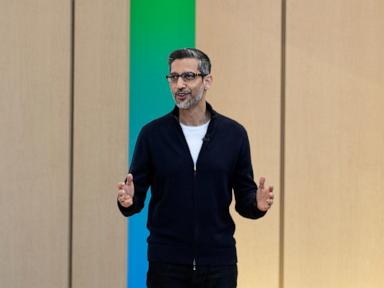
Google just dropped a massive wave of AI updates at its annual I/O conference, and the tech giant is clearly trying to turn your phone into a proactive assistant that actually does things for you. We are moving past the phase of chatbots simply spitting out text summaries. Google wants Gemini to see, hear, and think ahead.
If you watched the announcements, you might have felt a mix of awe and slight exhaustion. There is a lot to parse. It is easy to get lost in the marketing speak. Let us break down what actually matters, how these features work, and what you can do right now to prepare for this shift.
The Reality of Google Personal AI Assistant Upgrades
The headline tracker from the event is Project Astra. This is Google's vision for a universal AI assistant. In a video demonstration, a user wore prototype smart glasses and walked around an office, asking the AI questions about objects in view. The AI identified a speaker parts layout, found a missing pair of glasses, and even reviewed code on a computer monitor.
It felt fast. The latency was impressively low. The assistant answered with a natural, conversational cadence.
But let us be real for a second. We have seen slick tech demos before. Remember the Google Duplex demo where an AI called a hair salon? It worked, but it did not scale to change the world overnight. Astra looks incredible, but it is running in controlled environments. Google says some of these capabilities are coming to the Gemini app later this year, but the full, hardware-integrated experience is still down the road.
What you can actually use much sooner is the deep integration into the Android operating system. Gemini is becoming the core tissue of Android. It will understand context across your apps. For instance, you will be able to drag and drop Gemini-generated images directly into Gmail or Google Messages. If you are watching a YouTube video, you can pull up Gemini and ask specific questions about the video content.
This is where Google has a massive advantage over standalone apps like ChatGPT. Google owns the operating system. They own the workspace productivity tools. They can make the AI experience feel native in a way that third-party apps simply cannot match.
Gemini 1.5 Pro Changes the Way You Parse Information
While personal assistants grab the headlines, the real engine room update is the expansion of the Gemini 1.5 Pro model. Google is making a version with a two-million token context window available to consumers via Gemini Advanced.
To put that in plain English, a token is basically a chunk of a word. A two-million token context window means you can upload massive amounts of data at once. We are talking about an hour of video footage, thirty thousand lines of code, or a stack of dense PDFs totalizing roughly 1.5 million words.
Token Context Window Comparison:
- Standard AI Models: ~32,000 to 128,000 tokens
- Gemini 1.5 Pro (New): 2,000,000 tokens
Think about how this changes your workflow. Instead of reading a three-hundred-page financial report, you drop it into Gemini. You ask it to find the specific paragraph detailing overseas supply chain risks. It highlights the exact text in seconds.
People frequently make the mistake of using AI only for writing assistance. That is a waste. The real power lies in synthesis. You can upload your company’s entire brand guideline document, past marketing emails, and product brochures. Then, you can ask Gemini to audit a new draft product page against those documents. It checks for tone consistency, factual errors, and stylistic alignment.
The update also brings improved logical reasoning and planning capabilities. Google showed how Gemini can plan a full vacation itinerary. It does not just suggest a list of hotels. It takes your flight arrival time, maps out the driving distance, accounts for lunch stops, and builds a realistic schedule. It dynamically updates if you tell it you want to skip a museum visit for a beach afternoon.
AI Overviews are Transforming the Search Engine
Google is rolling out "AI Overviews" to hundreds of millions of users. You have probably already seen these if you use Search Labs. Instead of giving you a list of blue links, Google generates a multi-paragraph summary at the top of the search results page.
This is a massive shift for anyone who publishes content online. It changes the mechanics of finding information. If you search for "how to clean a cast iron skillet," you get a step-by-step breakdown right there. You do not need to click through to a cooking blog and scroll through a thousand words of family backstory just to find the cleaning steps.
Critics argue this will kill web traffic. It is a legitimate concern. Why would someone click a link if the answer is on the search page? Google counters by saying AI Overviews actually drive higher click-through rates to complex queries because users want to dig deeper. Time will tell.
For the average user, it means faster answers to multi-step questions. You can ask something complex like, "What are the best walking shoes for someone with flat feet who is training for a half marathon, and where can I buy them locally?" Google will synthesize reviews, medical advice, and local store inventory into one block of text.
Google Photos Gets Smarter with Ask Photos
Another practical update is the "Ask Photos" feature. Most of us have thousands of photos sitting in the cloud. Finding a specific memory usually involves endless scrolling and guessing dates.
Ask Photos uses Gemini’s multimodal understanding to search your library using complex queries. You can ask, "What was my daughter's camp theme last summer?" or "Show me the progression of my backyard renovation project." The AI analyzes the visual data, locations, and timestamps to pull the exact images.
It goes beyond simple object recognition. It understands context. It can figure out who people are based on your past tagging history, recognize milestones, and even help you pick the best photo from a vacation series to share with a friend.
How to Set Up Your Google Account for These Upgrades
You do not have to wait for the future to start optimizing your digital life for these tools. The systems work best when they have clear data to pull from. Here is how you can prepare.
First, clean up your Google Drive storage. The long-context window tools are only useful if your files are organized enough to find and upload. Create specific folders for core projects. Audit your old documents. If you have outdated versions of files floating around, archive them. You do not want the AI pulling data from an old 2023 strategy brief when you are trying to analyze 2026 goals.
Third, start practicing explicit prompting. The biggest mistake people make with advanced models like Gemini 1.5 Pro is treating them like old search engines. Do not just type keywords. Give the AI a persona, provide context, specify constraints, and define the exact output format you want. Instead of typing "marketing plan tips," try: "Act as a seasoned B2B marketing director. Review this attached product description and outline a three-step launch strategy targeting tech executives. Keep the tone professional and the steps actionable."
Open your Google Chrome browser or the Gemini app on your phone today. Take one dense document you have been putting off reading—a lease agreement, a research paper, or a long user manual. Upload it into the Gemini interface. Test its ability to find contradictions or summarize the main arguments. Getting used to the workflow now ensures you will not be left behind as these updates become standard operating procedure.